
Contacts - Phone Call Launcher
EverCoreTechCommunication
4.05.00 Reviews
- Version
- 1.0.4
- Installs
- 10.00K
- Age Rating
- Everyone
Screenshots
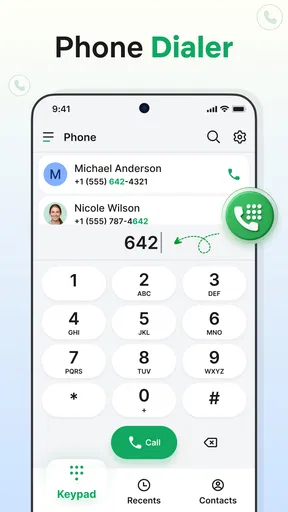
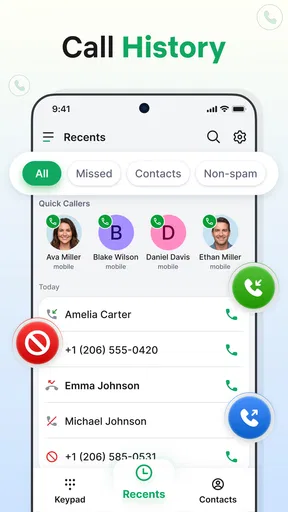
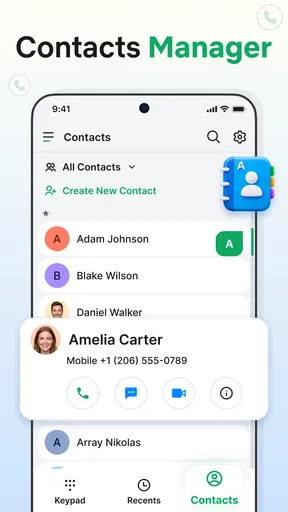
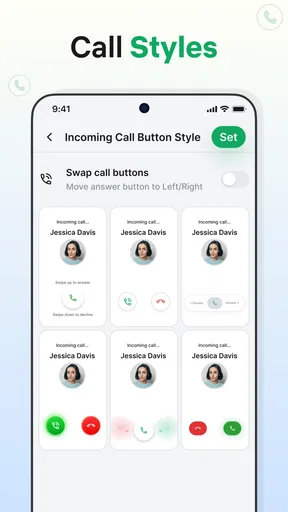
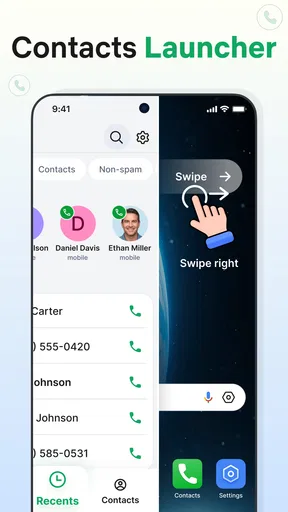
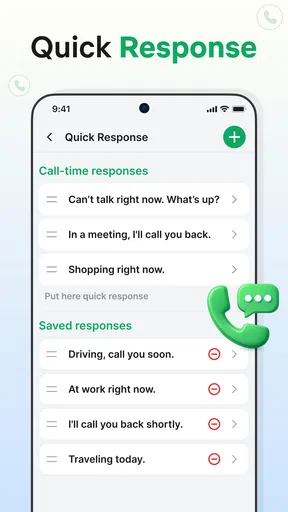
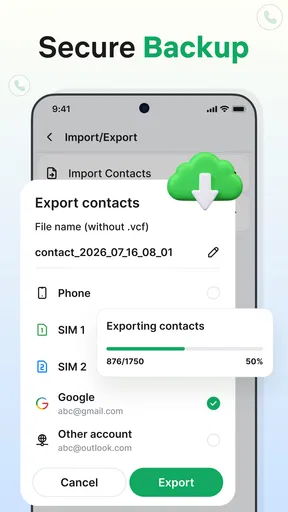
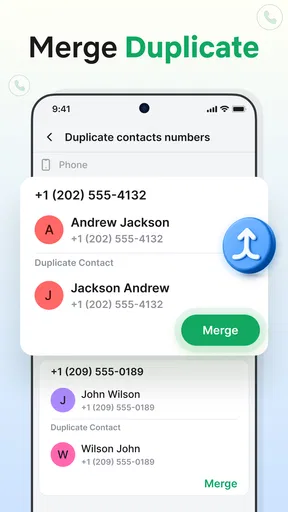
Our Review of Contacts - Phone Call Launcher
 Analysis by Appyee
When communication becomes a stream of names, missed calls, recent conversations, and small decisions, the phone’s standard contact screen can start to feel strangely slow. I often notice the friction at the exact moment I need to call someone quickly: I unlock the device, search through a crowded list, check whether I have the right person, and then move through another screen before the call even begins. Contacts - Phone Call Launcher approaches that everyday problem with a focused idea: put contacts, dialing, and call history closer to the action.
After spending time with it, I see this free communication app as a practical front door for people who still make regular phone calls and want less wandering around their device. It is developed by EverCoreTech and is aimed at an Everyone audience, so the concept is easy to understand rather than built around a specialist workflow. The current version is 1.0.4, and the app requires Android 11 or later. That last point matters: it is not a universal solution for older phones, but on a compatible device it can make calling feel more deliberate and less like a search task.
Why a focused contact launcher can change the rhythm of calling
The useful change is not that the app turns calling into something completely new. Instead, it reduces the distance between intention and action. If I already know whom I want to reach, I do not need a full communications hub filled with unrelated distractions. A dedicated launcher gives the contact itself more importance than the surrounding noise.
That distinction is valuable for people who use their phone in short bursts throughout the day. A parent checking in with family, a small-business owner returning calls, or someone coordinating appointments may not need elaborate messaging tools at that moment. They need to identify a person, confirm the choice, and start the conversation. The combination of a phone dialer, contacts manager, and call history keeps those three parts of the task together.
I also like the psychological effect of this arrangement. A conventional phone app can make every call feel like one more item in a busy notification center. A contact-focused launcher gives the action a clearer beginning and ending. I open it to call, find the person, make the call, and leave. That sounds small, but reducing the number of unrelated choices can help communication feel more intentional.
Its average rating is 4.0 from around 209 ratings, with over 10K installs. I would not treat those figures as proof that it will suit everyone, but they do suggest that the straightforward concept has found an audience. The app is free, which makes trying it low-risk, especially if the standard calling experience on your phone feels cluttered rather than broken.
Finding the right person without turning the call into a search session
The contacts manager is most useful when your address book has outgrown casual memory. I have found that the real challenge is often not dialing a number; it is deciding which entry is correct. Similar names, old contacts, and people saved in different formats can create hesitation. A focused contacts view encourages a simple habit: pause long enough to verify the person before tapping to call.
That extra moment is not wasted time. It can prevent the familiar mistake of calling the wrong contact, especially when I am moving quickly between tasks. For a work call, that confirmation step protects clarity. For a personal call, it avoids interrupting someone unrelated. The app’s value therefore sits partly in reducing uncertainty, not merely in reducing taps.
There is also a useful trade-off here. A specialized launcher can make frequent contacts easier to reach, but it does not remove the need to maintain the underlying address book. If names are duplicated or outdated, a cleaner entry point cannot solve the organizational problem by itself. I would use the contact manager as a prompt to tidy names and numbers gradually, rather than expecting it to repair years of neglected contact storage automatically.
How the call history affects conversation flow
Call history is more than a record of the past. In daily use, it acts as a reminder of unfinished communication. When I see a recent missed call beside the contact tools, the next step is obvious: return it, leave it for later, or decide that the call was not urgent. That is clearer than relying on a notification that may disappear among messages and alerts.
This can improve the rhythm of a busy day because the history gives context. A recent call tells me that a conversation already happened, while a missed entry signals a possible obligation. I can use that distinction to avoid calling someone twice without realizing it or forgetting a response entirely. The important benefit is not the existence of a log; most phones have one. It is the way the log sits beside the action needed to respond.
There is a boundary, though. Call history can also encourage reactive behavior if I treat every missed call as something that must be answered immediately. I prefer using it as a queue that I review at chosen moments. That approach preserves the app’s convenience without allowing the recent-calls list to dictate my entire attention pattern.
Attention, boundaries, and the cost of always being reachable
A communication tool should not only help me reach people; it should also help me decide when reaching them is appropriate. Contacts - Phone Call Launcher is strongest when I use it as an intentional calling surface rather than as a reason to check communication constantly. Its narrow focus can support better boundaries because it separates the act of calling from the general temptation to browse everything else on the phone.
For example, I might review the call history after finishing work, return the calls that genuinely need a response, and stop there. The app supports that routine because the relevant information is grouped together. I do not have to reopen several unrelated apps to reconstruct who contacted me. This is a small but concrete way to protect attention: communication becomes a scheduled action instead of a permanent background demand.
Another useful workflow is to use the contact list before entering a distracting environment. If I know I will be traveling, shopping, or handling a household task, I can make the essential calls first and then put the phone away. The launcher is not a productivity system, and I would not pretend it can manage an entire schedule. Its contribution is more modest and more believable: it makes a short communication block easier to complete cleanly.
The same design may not suit someone who wants every channel in one place. If your day depends on switching between calls, video meetings, group chats, email, and workplace messaging, the standard phone environment or a broader communications app may be more efficient. This app’s clarity comes from its limited scope, so that limitation becomes a weakness when your conversations rarely happen by phone.
When a quick call is better than another message
I noticed that a dedicated calling surface can change my default choice between calling and typing. Messaging is excellent for information that can wait, but it can also create long chains of partial replies. A short call may resolve a complicated question faster, particularly when tone or timing matters. By placing the contact and recent call context in one place, the app makes that option easier to choose.
Consider a realistic evening scenario. I need to confirm a change to a family plan, and several messages have already produced different assumptions. Instead of adding another paragraph that may be misunderstood, I open the launcher, locate the person, check whether we spoke recently, and call. The conversation takes attention for a few minutes, but the overall exchange becomes clearer. Afterward, the call history gives me a simple reference point rather than another long text thread to interpret.
That does not mean calling is always superior. A message is better when the recipient may be unavailable, when the information needs to be copied exactly, or when I do not want to interrupt. The app helps with access to a call, but it cannot decide the social cost of making one. I still need to consider the person’s time, the urgency, and whether a written record matters.
Practical habits that make the app more useful
My first recommendation is to treat the contact list as a decision surface, not just a directory. Before dialing, I check the name carefully and use the recent history as context. This is especially useful for contacts with similar names or for people I speak with in both personal and professional settings. The habit takes almost no time and reduces avoidable interruptions.
Second, I would create a small call-review routine instead of checking history repeatedly. A morning or evening review keeps missed calls visible without letting them pull attention away from whatever I am doing. This is one of the app’s less obvious strengths: the same feature that supports fast replies can also support delayed, deliberate replies if I choose when to open it.
Third, I would use the launcher for calls that benefit from voice and reserve messaging for low-pressure updates. That division makes the tool feel purposeful. If I open it only to scan every recent entry whenever I am bored, it becomes another source of compulsive checking. If I open it when I have a real communication task, the focused design works in my favor.
Finally, I would assess the app after a few days based on friction rather than novelty. Does it help me reach the correct person more confidently? Does the call history help me close communication loops? Does it make me more intentional, or am I simply checking another screen? Those questions reveal whether the launcher is improving my routine or merely adding a second way to do what the phone already does.
Where it fits beside the usual phone alternatives
The default phone app remains the natural comparison. It is already installed, familiar, and usually connected closely to the operating system. If your current dialer is fast and your contacts are well organized, installing another front end may not produce a dramatic improvement. In that situation, the extra app could feel like duplication rather than progress.
Contacts - Phone Call Launcher makes more sense when the standard experience feels visually busy or when call history is easy to overlook. Its advantage is concentration: contacts, dialing, and recent calls are treated as one communication task. A broader communications app may offer more channels, but that breadth can also introduce more notifications and more decisions. The right choice depends on whether you value reach across platforms or a cleaner path to ordinary phone calls.
It is also worth considering the age of the device. Because the app needs Android 11 or newer, anyone using an older phone should not plan around it. On a compatible device, the free price makes experimentation reasonable, but I would still compare it with the existing dialer after actual use rather than assuming a dedicated launcher is automatically better.
The product’s Everyone content rating makes its purpose approachable for a broad audience, but accessibility in practice depends on the individual phone and contact setup. People who need highly specialized accessibility controls, advanced business call handling, or deep integration with another communication platform may be better served by tools designed specifically for those needs. This app is most convincing as a simple, focused layer for everyday calling.
Who should install it, and who should skip it
I would recommend it to someone who regularly calls the same group of people, loses track of missed calls, or feels that the ordinary dialer makes a basic task more complicated than it should be. It is particularly suitable for users who want a calm, direct route from a person’s name to a conversation. The free model also makes it easy to test without committing money or changing the way you communicate permanently.
I would be less likely to recommend it to someone whose communication is almost entirely text-based, who already has a carefully organized and comfortable phone app, or who expects a complete personal communications command center. The focused design is the point, but it also sets the limit. It does not need to become everything; it needs to make calling clearer.
One question a new user may have is whether it replaces the need to remember contacts. In my view, it reduces the effort of reaching them, but it does not replace good contact organization. Another likely question is whether call history is useful beyond missed calls. Yes: it helps establish whether a conversation is recent and gives a practical review queue, provided I do not let it create a sense of constant urgency.
Users may also wonder whether a dedicated launcher makes calls meaningfully faster. The answer depends on the starting point. If the phone’s standard dialer is already one tap away and the contact list is tidy, the difference may be minor. If I often search through clutter or lose a missed call among notifications, the gain is less about stopwatch speed and more about confidence and fewer wrong turns.
Finally, the important question is whether it improves communication boundaries. It can, but only through the routine I build around it. By reviewing calls at chosen times and using voice conversations when they genuinely clarify something, I can make the app part of a healthier communication rhythm. If I use it to monitor every contact constantly, the same access becomes another attention drain.
My final view on this communication tool
Contacts - Phone Call Launcher is a focused answer to a familiar problem: wanting to call someone without entering a maze of unrelated phone activity. I appreciate that its value comes from organization and clarity rather than from trying to overwhelm the user with extra functions. The contact manager, dialer, and call history work best together because they cover the complete small task of identifying, reaching, and following up with a person.
It is not a universal replacement for every phone app, and I would not install it solely because a separate launcher sounds more efficient. Its benefits appear when the standard calling experience creates hesitation, missed follow-ups, or unnecessary attention switching. For those users, the app can change the feel of communication from reactive and scattered to short, deliberate, and easier to finish.
EverCoreTech’s app is free, currently at version 1.0.4, and available for compatible Android devices running Android 11 or later. With an average rating of 4.0 and over 10K installs, it has enough early interest to merit a practical trial. My recommendation is simple: use it for several real calling routines, not just a quick glance. If it helps you reach the right people while giving you better control over when you respond, it earns a place on the phone. If your existing dialer already provides that calm and clarity, keeping the simpler setup may be the wiser choice.
Verdict
Strengths of Contacts - Phone Call Launcher
- Quickly starts calls from a clean, contact-focused interface.
- Makes frequently used contacts easier to reach.
- Reduces the need to navigate through multiple phone menus.
- Useful for users who prefer a simple calling workflow.
- Can make everyday contact access feel faster and more convenient.
Limitations of Contacts - Phone Call Launcher
- Its usefulness depends on how often you make phone calls.
- May duplicate features already available in the default Phone app.
- Requires access to contacts and phone functions to work properly.
- Limited appeal for users who mainly communicate through messaging apps.
- The interface may feel too basic for users wanting advanced call tools.
Similar Picks in This Category
View All
Google Messages
Google LLC4.6

Gmail
Google LLC4.1

Google Meet
Google LLC4.4

Google Chrome
Google LLC4.1

WhatsApp Messenger
WhatsApp LLC4.6

Carrier Services
Google LLC4.2
Frequently Asked Questions
What is Contacts - Phone Call Launcher used for?
Contacts - Phone Call Launcher is designed to make calling people from your address book faster and more convenient. After opening the app, you can browse saved contacts, search for a specific person, and start a phone call with fewer steps than using the standard contacts application. It is especially useful for users who frequently call the same people and want a simpler calling interface.
Does Contacts - Phone Call Launcher replace my phone’s default contacts or dialer app?
No, the app generally works alongside the contacts and phone applications already installed on your device. It provides an alternative way to find contacts and initiate calls, but it does not necessarily replace the system dialer or manage every phone feature. Depending on your device and Android or iOS version, the final call may still open through the default phone application.
What permissions does Contacts - Phone Call Launcher require?
To display your saved contacts and begin phone calls, the application may request access to contacts and phone-related functions. These permissions are necessary for its main features, but you should review the permission prompts carefully before accepting them. If access is denied, contact searching or direct calling may not work correctly, although some basic parts of the app could remain available.
Can I call any contact directly from Contacts - Phone Call Launcher?
You can usually call contacts that have a valid phone number saved in your device’s address book. Contacts with multiple numbers may require you to select the preferred number before the call starts. The app does not provide free internet calling by itself unless that feature is specifically included; normal calls may use your mobile carrier and could be charged according to your phone plan.
Is Contacts - Phone Call Launcher free to download and use?
The availability of free features, advertisements, in-app purchases, or subscription options depends on the version offered in the relevant app store. Before downloading, check the store listing for pricing and payment details. Even when the launcher is free, regular mobile carrier charges can still apply when making calls, particularly if you are outside your plan’s included minutes or roaming area.
